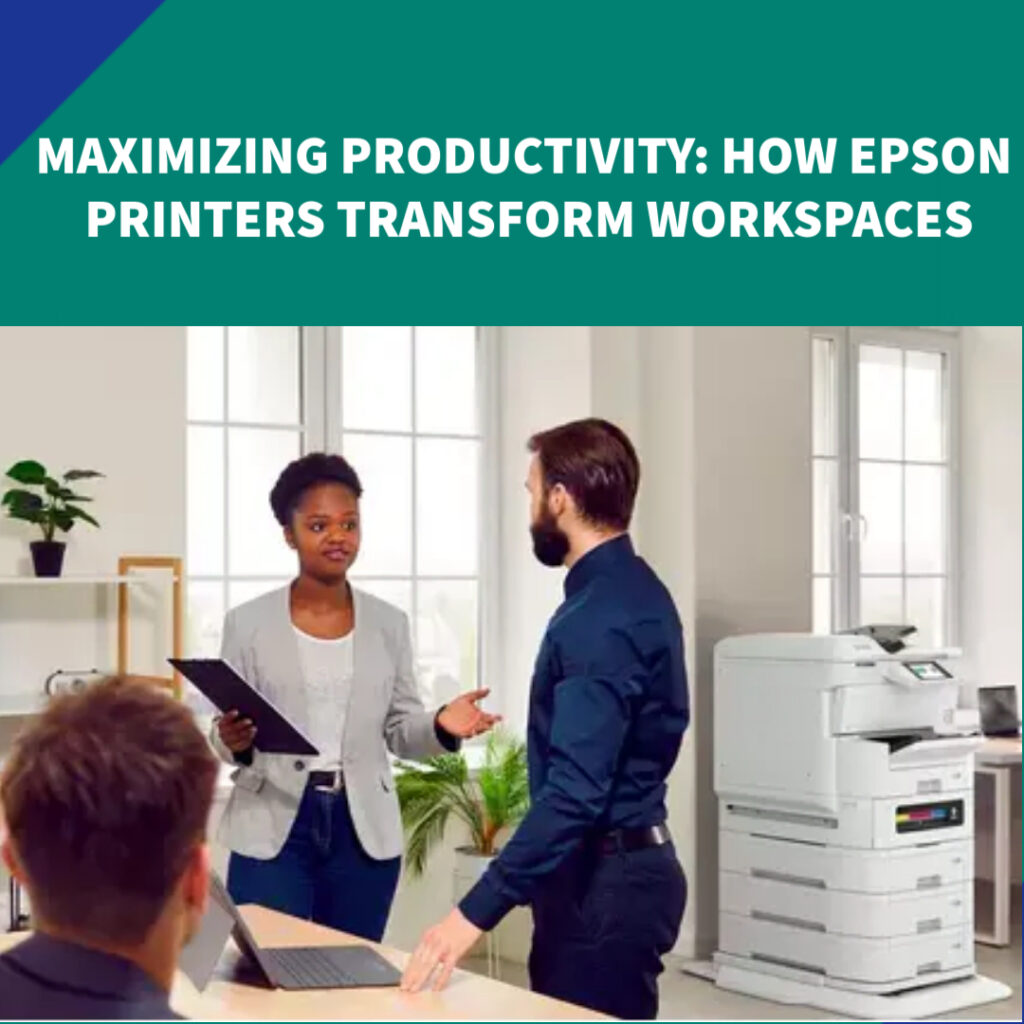
In the fast-changing business environment of today, reaching maximum productivity and efficiency is essential, and the tools we use, particularly printers, play a vital role. Epson, a top leader in printing technology, offers a wide range of printers specially designed to enhance productivity, streamline operations, and improve overall workplace performance. Their diverse product lineup meets various business needs, ensuring effective document management and production. Leveraging Epson’s dependable and efficient printing technologies enables businesses to refine their daily operations, reduce interruptions, and ultimately reach greater levels of success. Offering a spectrum from rapid, low-upkeep printers to those featuring economical ink tank systems and intelligent connectivity, Epson allows companies to concentrate on their central objectives by delivering reliable and effective printing solutions. How Epson Printers Drive Workplace EfficiencyEpson printers are equipped with various features and technologies specifically designed to enhance productivity in the workplace. Here’s a breakdown of how they achieve thisPrecision Core Technology for Speed and Precision:Epson printers boost workplace efficiency through their advanced Precision Core technology. This printhead precisely ejects tiny ink droplets, resulting in fast and accurate high-quality prints. This speed and accuracy streamline office workflows, providing dependable, high-performance printing for busy work environments.Economical Ink Solutions (EcoTank & RIPS):Epson’s EcoTank and RIPS models offer cost-effective printing by using refillable ink tanks or high-yield ink packs. 1 This cuts down on ink expenses and the hassle of constant replacements, minimizing interruptions and freeing up resources for business growth. 1 Versatile Wireless and Mobile Printing:Furthermore, Epson printers offer versatile wireless and mobile printing options like Wi-Fi Direct and compatibility with Epson Connect, Apple AirPrint, and Google Cloud Print. This adaptability supports remote work and the fast pace of modern business.Advanced Security and Compliance Features:Epson printers come with robust security features like secure print release and user authentication. These features help protect confidential documents and ensure compliance with regulations. Additionally, integration with solutions such as PaperCut allows for centralized tracking and management of all printing activities.Eco-Friendly and Energy-Saving Design:Epson’s heat-free printing technology makes them eco-friendly and energy-efficient, using significantly less power than traditional laser printers. 1 This not only lowers energy costs but also reduces their environmental impact. 2 Moreover, the long-lasting ink systems generate less waste, promoting sustainable business operations.Dependable Performance with Low Downtime:Designed for maximum reliability, Epson printers incorporate intelligent features such as automatic paper detection and self-maintenance functions. Combined with an extensive service network, Epson ensures consistent performance and minimal downtime, keeping operations running smoothly.Custom Solutions for Every Business Size:Epson provides tailored printing solutions for businesses of all sizes, offering everything from small office printers to powerful multifunction devices for larger teams. Specific industries like healthcare, education, retail, and creative design also gain advantages from Epson’s specialized printing choices.Smooth Integration with Existing Infrastructure:Integrating Epson printers into current IT systems is seamless, thanks to their compatibility with common operating systems and network configurations. User-friendly features such as touchscreen interfaces and automatic document feeders streamline document management and boost overall office efficiency.Final Thoughts:In conclusion, Epson’s diverse printer lineup combines speed, durability, affordability, and environmental responsibility to revolutionize workplace operations. By implementing Epson technology, businesses can lower costs, minimize interruptions, support remote and mobile work, and cultivate a more productive and sustainable work environment, ultimately setting themselves up for lasting success.Leveraging Epson’s dependable and efficient printing technologies enables businesses to refine their daily operations, reduce interruptions, and ultimately reach greater levels of success. Offering a spectrum from rapid, low-upkeep printers to those featuring economical ink tank systems and intelligent connectivity, Epson allows companies to concentrate on their central objectives by delivering reliable and effective printing solutions.How Epson Printers Drive Workplace EfficiencyEpson printers are equipped with various features and technologies specifically designed to enhance productivity in the workplace. Here’s a breakdown of how they achieve thisPrecision Core Technology for Speed and Precision:Epson printers boost workplace efficiency through their advanced Precision Core technology. This printhead precisely ejects tiny ink droplets, resulting in fast and accurate high-quality prints. This speed and accuracy streamline office workflows, providing dependable, high-performance printing for busy work environments.Economical Ink Solutions (EcoTank & RIPS):Epson’s EcoTank and RIPS models offer cost-effective printing by using refillable ink tanks or high-yield ink packs. 1 This cuts down on ink expenses and the hassle of constant replacements, minimizing interruptions and freeing up resources for business growth. 1 Versatile Wireless and Mobile Printing:Furthermore, Epson printers offer versatile wireless and mobile printing options like Wi-Fi Direct and compatibility with Epson Connect, Apple AirPrint, and Google Cloud Print. This adaptability supports remote work and the fast pace of modern business.Advanced Security and Compliance Features:Epson printers come with robust security features like secure print release and user authentication. These features help protect confidential documents and ensure compliance with regulations. Additionally, integration with solutions such as PaperCut allows for centralized tracking and management of all printing activities.Eco-Friendly and Energy-Saving Design:Epson’s heat-free printing technology makes them eco-friendly and energy-efficient, using significantly less power than traditional laser printers. 1 This not only lowers energy costs but also reduces their environmental impact. 2 Moreover, the long-lasting ink systems generate less waste, promoting sustainable business operations.Dependable Performance with Low Downtime:Designed for maximum reliability, Epson printers incorporate intelligent features such as automatic paper detection and self-maintenance functions. Combined with an extensive service network, Epson ensures consistent performance and minimal downtime, keeping operations running smoothly.Custom Solutions for Every Business Size:Epson provides tailored printing solutions for businesses of all sizes, offering everything from small office printers to powerful multifunction devices for larger teams. Specific industries like healthcare, education, retail, and creative design also gain advantages from Epson’s specialized printing choices.Smooth Integration with Existing Infrastructure:Integrating Epson printers into current IT systems is seamless, thanks to their compatibility with common operating systems and network configurations. User-friendly features such as touchscreen interfaces and automatic document feeders streamline document management and boost overall office efficiency.Final Thoughts:In conclusion, Epson’s diverse printer lineup combines speed, durability, affordability, and environmental responsibility to revolutionize workplace operations. By implementing Epson technology, businesses can lower costs, minimize interruptions, support remote and mobile work, and cultivate a …
MAXIMIZING PRODUCTIVITY: HOW EPSON PRINTERS TRANSFORM WORKSPACES Read More »